Imagine walking up to your Hyundai Elantra, your hands full—grocery bags, a tote, maybe a coffee that absolutely must not tip. You reach for your phone, not your keys. A subtle chime. A lock that yields without fuss. You smile, because technology can feel like a magic trick when it’s done right. But here’s a playful question to tug at the edge of curiosity: what happens when that “magic” behaves like a riddle?
The Hyundai Elantra’s Digital Key experience is designed to make access feel effortless, yet it introduces a new rhythm of interaction—one that depends on your device, your habits, and a few setup choices. Let’s wander through the Elantra’s digital ecosystem and the tech features that sit behind it, from the way you unlock your car to the way you stay connected, informed, and entertained.
Digital Key: Access Without the Key Fob Ballet
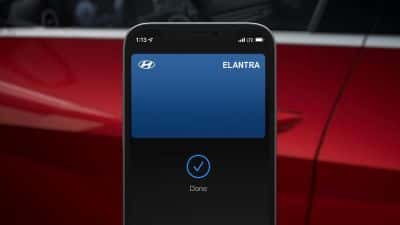
Digital Key turns your smartphone into an access credential. Instead of performing the familiar key-fob choreography—press, wait, hope—the Elantra invites a tap-to-unlock moment. It can feel streamlined, especially when your pockets are chaotic or you’re juggling responsibilities.
However, the potential challenge arrives quietly: Digital Key works best when your phone is ready. That means battery health matters. Signal conditions can matter. Even permissions on your phone can matter. Small details, big consequences. If your phone is low on power, the “open sesame” moment may fail when you need it most—like when you’re halfway out of the car with a backpack zipper stubbornly jammed.
To make the experience feel frictionless, keep these habits in mind: charge your phone more often than you think you need, confirm your app access before a busy day, and ensure the app’s background activity settings aren’t accidentally throttled. You don’t want a feature to become a plot twist.
Setup and Pairing: The First Link in the Chain
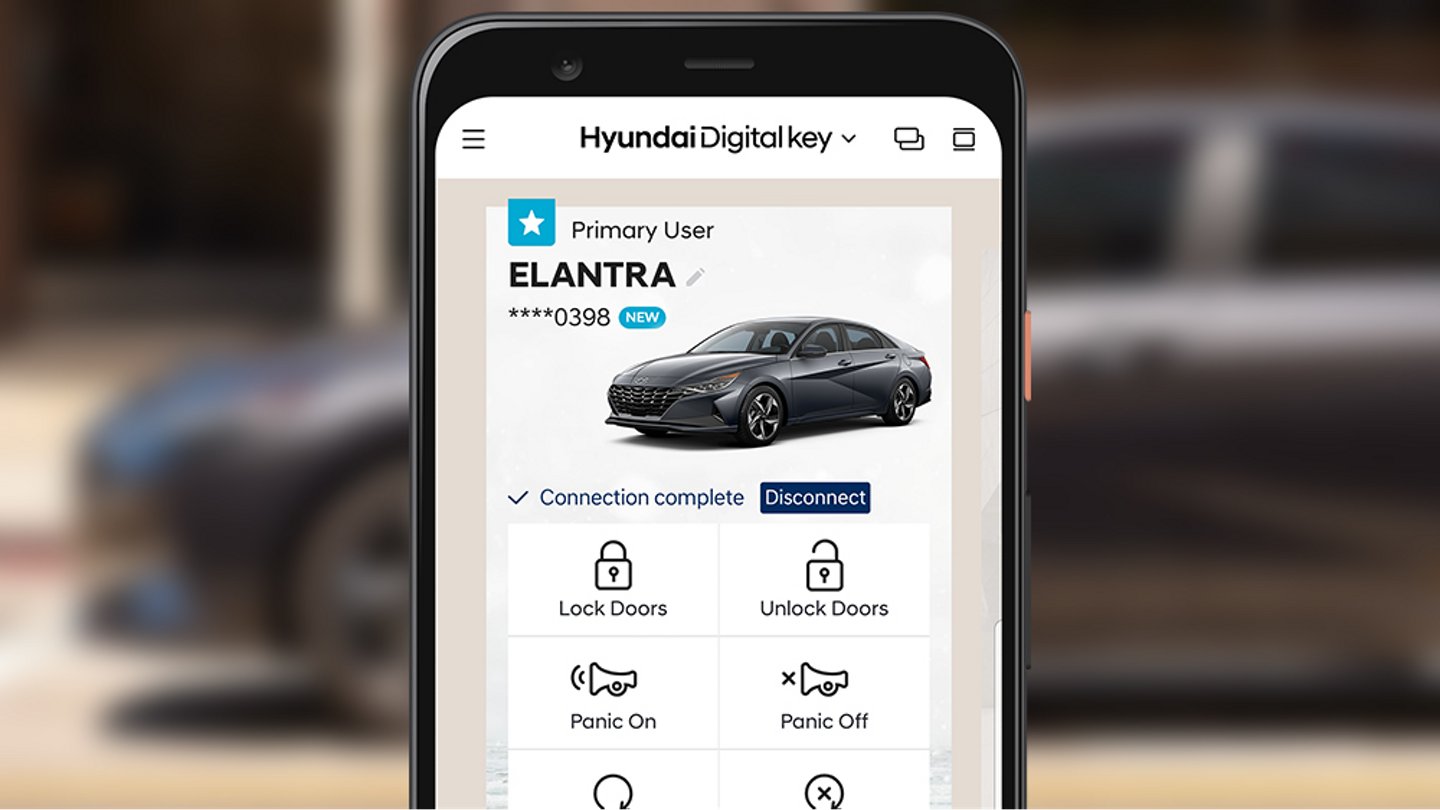
Every technology story has a beginning, and Digital Key is no exception. Initial pairing and enrollment create the trust relationship between your device and the vehicle. This is where the Elantra becomes less of a gadget and more of a system.
Once set up, the car can recognize your compatible phone in a more seamless way. But the challenge is remembering that setup isn’t just a one-time ritual—it’s also an ongoing maintenance practice. If you switch phones or update operating systems, you may need to re-authorize access. Updates can be brilliant, but they can also rewrite settings in ways you don’t anticipate.
Consider this a gentle reminder: before you depend on Digital Key, test it during a normal routine—unlock once, lock once, verify behavior in your usual environment. Calm trials prevent chaotic surprises.
Infotainment: A Dashboard That Feels Like a Command Center
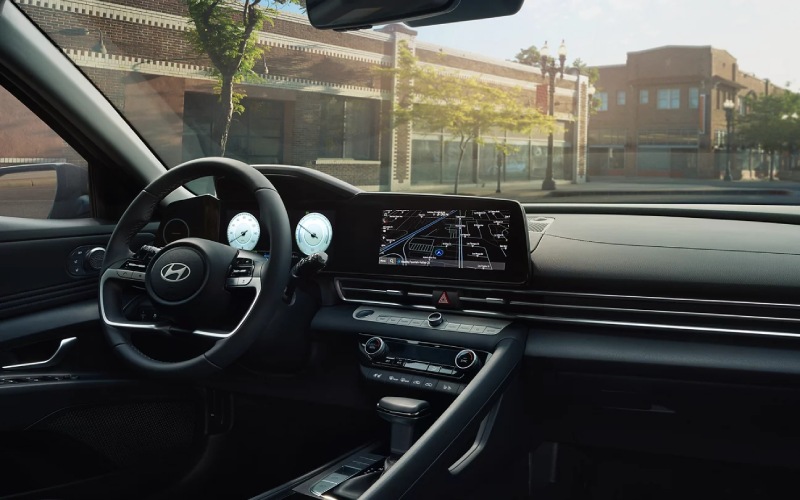
Beyond unlocking, the Elantra’s tech personality continues inside the cabin. Hyundai’s infotainment systems aim for clarity and responsiveness. Menus tend to be organized so you can find what you need without feeling like you’re decoding hieroglyphics mid-drive.
Expect an experience shaped by tactile logic—where shortcut-style access and on-screen layouts reduce cognitive load. Short sentences help here, because the goal is simplicity: touch. Confirm. Go. That’s the ideal.
Still, the potential challenge is driver focus. Even well-designed interfaces can tempt you to interact when you shouldn’t. A good habit is to do the “thinking” before the car begins moving. Let the commute be a smooth flow rather than a constant negotiation with menus.
Smart Connectivity: Staying Online Without Feeling Overwhelmed
Modern drivers don’t just want music—they want context. Road conditions. Messages. Navigation suggestions. The Elantra’s connectivity features are built to keep you in the information loop without turning the cabin into a distraction factory.
Think of connectivity as a quiet conductor: it helps the car and your phone coordinate, so navigation prompts don’t feel like they’re arriving from the wrong universe. When paired correctly, you get a cohesive experience.
But here’s the question that stirs the pot: are you the kind of driver who remembers to keep apps updated and permissions granted? If not, connectivity can become a fickle character—helpful one day, frustrating the next. The fix is rarely complicated, but it does require mindfulness: verify software versions, ensure network permissions, and keep a light check on background app behavior.
Navigation and Voice Control: Reduce the “Where Am I?” Spiral
When a trip gets complicated—construction, detours, unfamiliar neighborhoods—navigation becomes more than a map. It becomes a coping strategy. Clear directions help you avoid the tight spiral of indecision.
Voice control (when available) adds another layer of convenience. Instead of manual hunting, you speak. Short, confident commands. Long drives become less about screen-reading and more about staying present.
The challenge, though, can be environmental: noisy roads, muffled speech, or unclear diction. If voice control doesn’t understand on the first try, it can lead to repeated attempts that steal attention. Patience helps. Consistency helps more. Speak naturally, as if you’re talking to a calm copilot.
Driver Assistance Tech: Calm the Drive, Not the Control
Digital Key is about entry. Infotainment is about comfort. But tech in the Elantra also extends to assistance systems that help you maintain stability and awareness.
These features often aim to reduce stress—supporting lane awareness, helping with braking situations, and alerting you before a moment becomes a problem. They’re designed to be proactive, not performative.
Yet the potential challenge is overtrust. Assistance systems can feel confident because they act quickly. But driving still requires human judgment. Use the tech like a lighthouse, not like the ocean itself.
Privacy and Security: When Convenience Must Earn Trust
Digital convenience comes with a non-negotiable responsibility: protecting access. Since your phone becomes part of the key ecosystem, security settings and device hygiene matter.
Keep your phone protected with a secure passcode. Watch app permissions. Avoid sharing access credentials broadly. If your phone is lost or stolen, treat it like losing a key—because, in a sense, it is one.
This is where modern technology gets most interesting. It’s both empowering and demanding. The Elantra’s tech features are built to be graceful, but you remain the guardian of that grace.
Living With the Technology: Make It Second Nature
Any advanced feature feels awkward at first. Then it becomes muscle memory. The Elantra’s Digital Key and tech functions are designed to move toward that “it just works” state.
Start with intentional use: lock and unlock a few times, explore the infotainment menus when parked, test navigation before you’re in a hurry. Then, once the systems behave predictably, you’ll appreciate the elegance of the design.
And if the occasional hiccup appears—an app prompt that wasn’t expected, a connection that feels stubborn—don’t treat it like failure. Treat it like a temporary mismatch between your environment and the device’s assumptions. Most solutions are simple: recharge, re-authorize, reconnect, and breathe.
Final Thoughts: Ready for the Digital Key Dance?
Hyundai Elantra Digital Key and tech features aim to turn everyday moments into streamlined experiences. Unlocking can become fluid. Navigation can become calmer. Connectivity can feel like a helpful layer rather than an additional chore.
But the playful question still echoes: are you ready to co-pilot with your phone instead of reaching for metal and rubber? If you are—charging habits, app readiness, and a bit of setup confidence—the Elantra’s digital suite can feel like a well-practiced performance. And if you aren’t yet? That’s okay. A few deliberate trials can transform the “potential challenge” into a non-issue, letting technology do what it’s meant to do: quietly improve the drive.