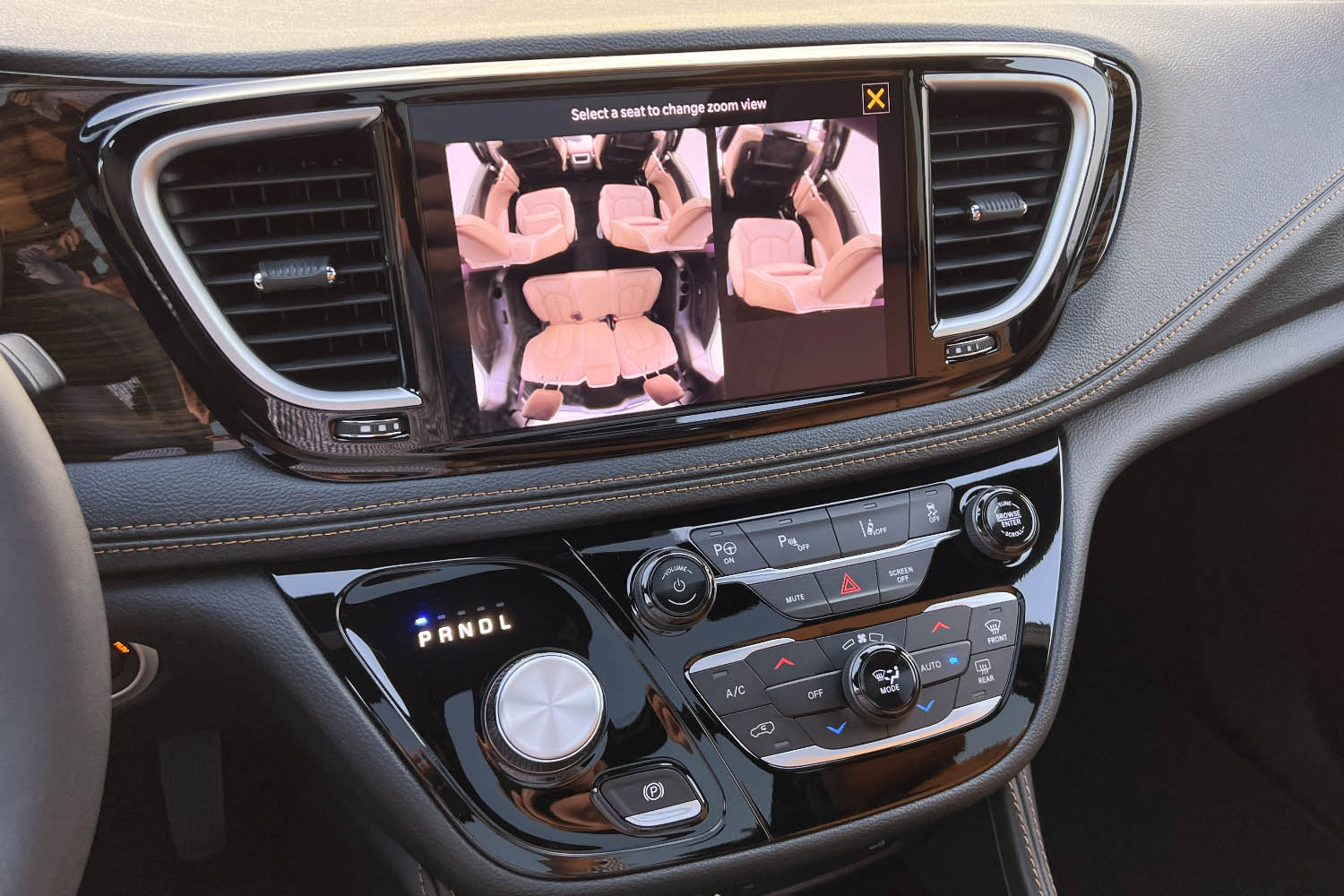
Picture this: You’re parked in the driveway after a long day, juggling groceries, kids, and a trunk full of soccer gear. The sun is dipping low, casting long shadows across the seats. You need to check if the minivan’s interior is still spotless—or if the kids left behind a trail of crumbs, sticky fingerprints, or worse. But here’s the kicker: you’re already inside, and the doors are locked. What if you could just tap a button and see exactly what’s happening inside without stepping out of the car? Enter the Chrysler Pacifica’s FamCam, a clever little interior camera that promises to turn the chaos of family life into a manageable spectacle. But does it live up to the hype, or is it just another tech gimmick in a sea of minivan innovations?
Let’s dive into the FamCam’s world—where convenience meets curiosity, and every glance inside your Pacifica becomes an opportunity for both relief and revelation.
The FamCam: A Peek Behind the Minivan Curtain
The Chrysler Pacifica’s FamCam isn’t just another dashboard doodad. It’s a discreet, high-definition camera tucked into the overhead console, designed to give you a live feed of your minivan’s interior—anytime, anywhere, as long as you’re connected. Whether you’re using the Uconnect 5 infotainment system or the MyChrysler app, this camera transforms your Pacifica into a rolling surveillance pod, minus the spy-movie vibes.
But why would anyone need this? Imagine this scenario: You’re at the grocery store, and your partner texts you a frantic message: “Did we lock the car?” You check the app, and there it is—the FamCam feed, crystal clear, showing the kids buckled in, the snacks untouched, and the doors securely shut. No more frantic backtracking. No more second-guessing. Just instant peace of mind.
The camera’s placement is strategic. Mounted near the rearview mirror, it captures a wide-angle view of the second and third rows, ensuring no squabble or snack spill goes unnoticed. The image quality? Surprisingly sharp for a camera of its size, with decent color reproduction and minimal lag. It’s not a Hollywood-grade spy cam, but it’s more than enough to satisfy a parent’s curiosity—or a chauffeur’s need for control.
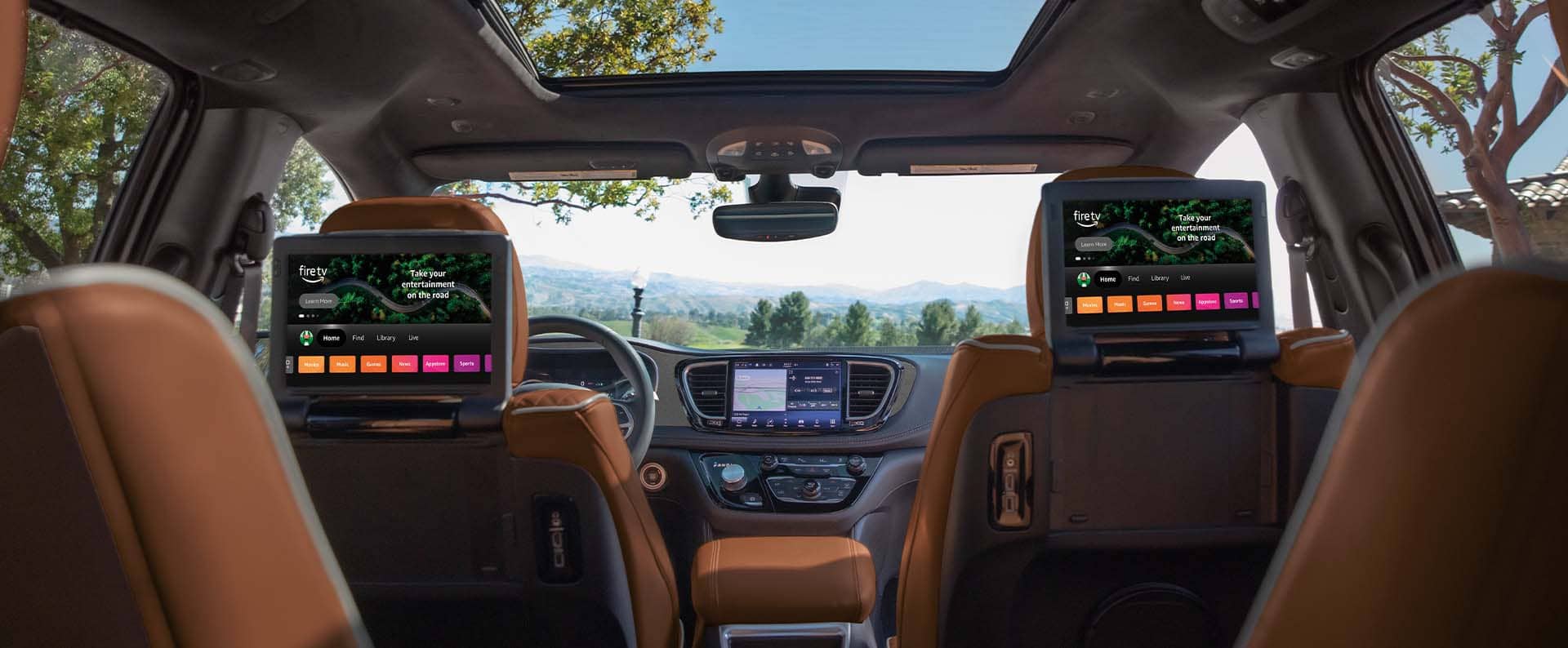
Setting Up the FamCam: A Dance of Tech and Patience
Here’s where things get interesting. The FamCam isn’t plug-and-play. It requires a few steps to activate, and if you’re not tech-savvy, you might find yourself scratching your head. First, you’ll need to enable the camera in the Uconnect settings. Then, you’ll have to pair your smartphone with the MyChrysler app, which, let’s be honest, can be a finicky beast. Bluetooth connections drop. Updates take forever. And if your Wi-Fi is slower than a sloth on a lazy Sunday, the live feed might buffer like a 2005 YouTube video.
But once it’s set up? Oh, it’s glorious. The app gives you a real-time view of your Pacifica’s interior, complete with a timestamp so you know exactly when little Timmy decided to turn the backseat into a graffiti canvas. You can even snap photos or record short clips to share with your partner—because nothing says “I told you so” like a timestamped snapshot of the chaos they left behind.
The only real hiccup? The camera’s field of view. While it captures most of the cabin, the edges can be a bit distorted, and the third row is sometimes partially obscured. If your kid is hiding a suspiciously large stain under their seat, you might miss it. But let’s be real—if they’re that sneaky, you’ve got bigger problems than a camera angle.
Privacy Concerns: Big Brother in a Minivan?
Now, let’s address the elephant in the room: privacy. Having a camera inside your car that you can access remotely feels… intimate. What if a hacker gets into your MyChrysler account? What if your teenager figures out how to disable it? The thought alone sends shivers down the spine of any privacy-conscious parent.
Chrysler has addressed some of these concerns with encryption and secure login protocols, but let’s not pretend this is Fort Knox. If someone has physical access to your phone or your car, they could potentially disable the camera or access the feed. The solution? Treat the FamCam like you would any other connected device: keep your software updated, use strong passwords, and maybe don’t share your login details with your 16-year-old who “just wants to check the camera for fun.”
That said, the benefits far outweigh the risks—for most families. The FamCam isn’t about spying; it’s about peace of mind. It’s the difference between wondering if your kids are napping quietly in the backseat and actually seeing them doze off, drool and all.
The FamCam in Action: Real-World Scenarios
Let’s put the FamCam through its paces with some real-world scenarios.
Scenario 1: The Great Snack Heist
You pull into the driveway after a grocery run, only to realize you forgot the milk. As you sprint back inside, you get a notification: “FamCam alert—motion detected in the second row.” You open the app to find your youngest child, sticky-handed and grinning, holding a half-eaten granola bar. The evidence is undeniable. No milk? No problem. You’ve got bigger issues to deal with.
Scenario 2: The Nap-Time Dilemma
You’re running errands, and your toddler is finally asleep in the backseat. But you’re not sure if they’ll stay that way. With the FamCam, you can check in without disturbing their slumber. No more pulling over every five minutes to peek through the window. Just a quick glance at your phone, and you’re reassured—little one is still out like a light.
Scenario 3: The Pet Problem
You’re at work, and your dog is safely ensconced in the Pacifica’s cargo area. But is he pacing? Chewing the seat? The FamCam lets you keep an eye on him, ensuring he’s not turning your minivan into a chew toy. (Spoiler: He probably is.)
In each of these scenarios, the FamCam transforms the Pacifica from a simple people-mover into a command center for family logistics. It’s not just a camera; it’s a lifeline.
Limitations and Quirks: The FamCam’s Achilles’ Heel
Of course, no technology is perfect. The FamCam has its quirks.
First, the camera only works when the car is on. If you park and walk away, you lose the feed. That means no checking on your sleeping kids while they’re napping in the driveway. Bummer.
Second, the app’s interface can be clunky. Navigating to the FamCam feed isn’t always intuitive, and the live view can be slow to load. If you’re in a hurry, you might find yourself cursing at your phone.
Finally, the camera’s angle is fixed. If your kid is hiding something under the seat or behind a pillow, you might not see it. It’s not a substitute for a good old-fashioned visual inspection—just a supplement.
But these are minor gripes in the grand scheme of things. The FamCam is a game-changer for families who value convenience and peace of mind.
So, does the Chrysler Pacifica’s FamCam live up to the hype? Absolutely. It’s not a must-have for every driver, but for families who spend a lot of time in their minivan, it’s a game-changer. It turns the chaos of family life into something manageable, something visible. It’s the difference between wondering and knowing.
Sure, it has its limitations. The setup can be a hassle, the app isn’t perfect, and the camera’s angle leaves something to be desired. But when you’re standing in the grocery store, debating whether to turn back for the milk, and you get that notification—“FamCam alert: all clear”—you’ll realize that this little camera is worth every penny.
The Chrysler Pacifica has always been a minivan ahead of its time. With the FamCam, it just took a giant leap forward. Now, if only it could also fold the laundry.