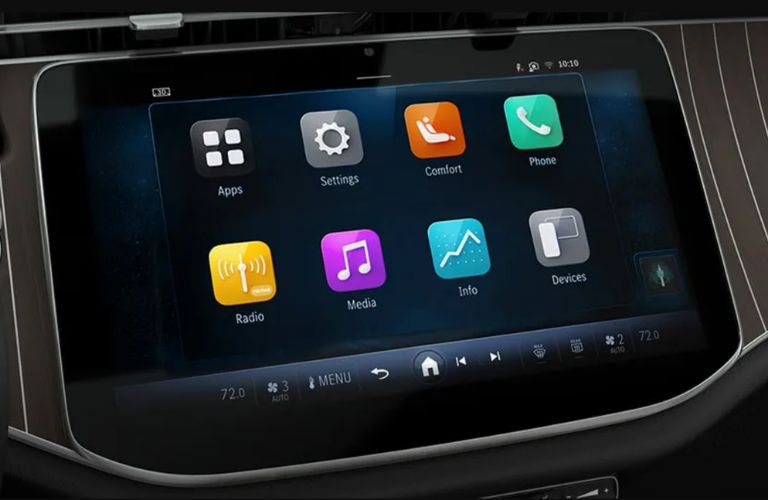
In the compact-sedan universe, infotainment has quietly become the real center of gravity. It’s not only about streaming music or mirroring a smartphone. The best systems choreograph everyday life—navigation that feels intuitive, voice control that doesn’t flinch under pressure, and interfaces that remain legible when traffic tightens. A great infotainment suite can turn mundane commutes into a more composed experience, like a well-tuned orchestra responding to the conductor’s smallest cue.
But “best” is a slippery word. Some drivers crave clarity and speed; others want a minimalist cabin that never overstays its welcome. Families prioritize stability and ease of use. Tech enthusiasts hunt for richer media features and deeper integration. To help you sort through the noise, this guide maps the landscape of compact sedans with strong infotainment ecosystems—so you can anticipate what you’ll actually experience once you start driving.
What “Best Infotainment” Really Means in Compact Sedans
Infotainment quality is more than a big screen. A truly excellent system balances three pillars: responsiveness, usability, and sensory coherence. Responsiveness is measured in milliseconds—how quickly menus open, how fast maps redraw, and whether voice commands are executed without awkward delays. Usability is about cognitive friction. Even a feature-rich interface can feel tiresome if it requires too many taps or confusing iconography.
Then there’s sensory coherence: how the screen, physical controls, audio system, and connectivity behave together. The best setups feel like they were designed as a single instrument, not stitched together from separate components. In compact sedans, this matters even more because every inch of the cabin is contested real estate. You want confidence at a glance, not a detour into settings.
The Screen Experience: Size, Resolution, and Touch Logic
Most compact sedans now offer touchscreen-based infotainment, but the quality of interaction varies dramatically. Screen size can be tempting, yet a large display that lags is essentially decorative. Resolution matters too, because crisp typography reduces reading strain. If navigation instructions are frequently consulted—on highways, in dense intersections, or while detouring—sharp visual hierarchy becomes a practical advantage.
Touch logic is an underrated element. The best systems offer consistent gesture recognition—swipes that behave predictably, sliders that react instantly, and touch targets that aren’t cramped. A stable touch interface makes the whole cabin feel calmer, even when the car is moving quickly.

Voice Control and Natural Language Interaction
Voice control has evolved from “press-and-pray” into a more conversational interface in some premium-leaning models. The highest-performing systems understand natural phrasing instead of forcing you into rigid command templates. You can say what you want, when you want it, and the system reacts without turning your attention into a technical assignment.
Look for voice systems that handle multitasking—asking for directions while adjusting media, or switching radio sources while continuing to speak. The most helpful designs also support context, such as remembering what you were searching for moments ago. This reduces repetition and shortens the time between intention and action.
In compact sedans, voice interaction can become the difference between “I’ll just set it up later” and actually using the system every day. When you’re juggling parking maneuvers, passengers, or luggage, hands-free control turns features into a lifestyle tool.
Smart Connectivity: Smartphone Integration That Doesn’t Stall
Connectivity determines whether your infotainment is truly portable. Wireless integration is often praised, but stability is what wins long-term loyalty. A top system maintains a dependable link for calls, music, and mapping services—even when your commute moves through areas with weaker signal.
Pay attention to how quickly the car reconnects after waking from sleep. Some systems pair smoothly and launch media with almost embarrassing ease. Others perform a slow reboot of Bluetooth or demand manual confirmation. For commuters, reliability is a quiet superpower.
Additionally, consider how integration affects interface flow. Great systems present phone functions in a coherent way rather than treating them as alien visitors. That means calls look clean, messaging prompts remain readable, and music controls behave consistently.
Navigation and Live Guidance: The Difference Between Maps and Meaning
Navigation can be merely functional—or genuinely helpful. The best systems don’t just show roads; they deliver meaning. That includes lane guidance clarity, traffic-aware rerouting, and smooth recalculation when you miss an exit. If your city involves frequent detours, this capability becomes priceless.
Look for crisp route visuals and intelligent zoom behavior that matches your driving pace. On busy streets, overly busy maps can overwhelm you. Excellent systems reduce cognitive load by highlighting critical information—speed guidance, turn markers, and immediate hazards—while keeping secondary details less dominant.
For drivers who frequently use navigation, an intuitive destination-entry process is equally important. Whether it’s through voice, quick search, or saved places, time saved here compounds across months.
Audio Systems: When Infotainment Becomes Atmosphere
Infotainment isn’t only about information; it’s also about atmosphere. Audio quality—clarity at low volume, controlled bass without mud, and balanced mids—can transform the cabin from a transit space into a personal lounge.
Some compact sedans offer premium-grade audio configurations that improve sound staging. That means instruments feel separated rather than collapsed into a single blur. In practical terms, this helps podcasts sound articulate and music remain enjoyable even during stop-and-go traffic.
Consider also how the system manages volume and equalization. Better algorithms respond to different sources and help maintain consistent loudness. The most pleasant systems reduce the urge to constantly adjust settings.
User Interface Design: Menus, Shortcuts, and Physical Controls
The best infotainment systems respect your attention. They provide pathways for both quick actions and deeper exploration. That often looks like a clean home screen, smart shortcut placement, and logically grouped settings.
Physical controls still matter. Some drivers prefer tactile knobs or buttons for volume and temperature because they don’t require visual confirmation. The most thoughtful designs integrate touch with hard controls so your hands never have to wander into a menu labyrinth.
Also consider profile-based behavior. Systems that remember preferences—favorite stations, preferred audio modes, and frequently used navigation destinations—create a sense of continuity. You don’t have to re-teach the car each time you step in.
Family-Friendly Features: Safety-Centered Convenience
Infotainment becomes especially meaningful for families. A stable interface supports passenger enjoyment without creating distraction. Look for easy-to-understand media navigation, reliable pairing for multiple phones, and clear audio routing if you share content.
Some sedans offer controls that help you manage what’s playing without forcing everyone to fight over the screen. Voice commands can also serve as a multitool—changing music, reading out navigation cues, or initiating calls without pulling focus away from the road.
When children are in the back seat, intuitive usability becomes an emotional factor. The quieter the system’s learning curve, the less you feel that technology is competing with family logistics.
Performance and Responsiveness: Speed Is a Feature
A laggy system can drain patience faster than any missing feature. In compact sedans, the infotainment computer must run maps, media, and connectivity simultaneously. The best systems keep frame rates steady and menus snappy. That means quick app switching, fluid scrolling, and near-instant response to touch.
Responsiveness also affects voice. A system that hears commands but hesitates to act feels unreliable. The most satisfying setups blend quick recognition with immediate execution, creating a sense of trust.
If possible, imagine your day: navigating through traffic lights, scrolling playlists, accepting calls while merging. Infotainment should accelerate your workflow, not add administrative steps.
What Content Readers Can Expect When Comparing Models
This topic doesn’t just revolve around specs—it revolves around decision-making. A useful comparison should cover how each infotainment system behaves in real scenarios: pairing speed, screen clarity under sunlight, how voice commands handle noisy environments, and whether navigation reroutes smoothly when plans shift.
You should also expect guidance on the “feel” of the interface. Is it approachable for first-time users? Are menus logically arranged? Does the home screen reduce the need to hunt? Great articles typically include these experiential notes because they mirror the truth of everyday driving.
Finally, a strong overview should connect features to lifestyles. If you commute daily, reliability and responsiveness matter most. If you travel often, navigation depth and rerouting intelligence rise to the top. If you share the car with family members, ease of switching audio and managing multiple devices becomes essential.
Choosing the Right Compact Sedan Infotainment: A Practical Checklist
Start with your priorities. Are you optimizing for voice convenience, seamless smartphone integration, premium audio, or navigation confidence? Next, verify the basics: does the system boot quickly, respond immediately, and keep its connections stable? Then evaluate usability—whether the interface is readable, the icons make sense, and physical controls complement the touchscreen.
Consider also future-proofing. Systems that support frequent software improvements or evolving feature sets can stay relevant longer. In a fast-moving tech landscape, longevity reduces the risk of buying into a platform that feels dated too soon.
Conclusion: Infotainment as a Daily Companion
Compact sedans may be smaller by design, but their infotainment experiences can be remarkably expansive. The best systems don’t just display information—they interpret intention. They respond quickly, speak naturally, route confidently, and create a cabin atmosphere that feels composed.
When you choose a compact sedan with truly strong infotainment, you’re investing in more than convenience. You’re selecting a smoother rhythm for commuting days, weekend detours, and every small moment that happens between start-up and arrival.