There’s a particular kind of magic in the way modern dashboards have evolved—from utilitarian control panels into rolling theaters of information. In crossovers, where practicality and personality must coexist, infotainment screens have become more than displays. They’re portals. They’re also a promise: that every drive will feel curated, not merely endured. Large touchscreens—wide, luminous, sometimes almost cinematic—turn the cabin into a cockpit of intuition. The result is a driving rhythm guided by swipes, pinch-zooms, and soft-glowing menus that feel less like software and more like conversation.
When the screen is spacious enough, it stops being a tool and starts becoming scenery. Navigation becomes a horizon. Audio becomes atmosphere. Vehicle settings become a tailor, adjusting comfort with the delicacy of a well-placed stitch. And in the best crossovers for infotainment, the experience doesn’t just look impressive—it behaves with a rare kind of coherence, where responsiveness and clarity make the technology feel… natural.
Why Large Touchscreens Change the Whole Cabin Mood
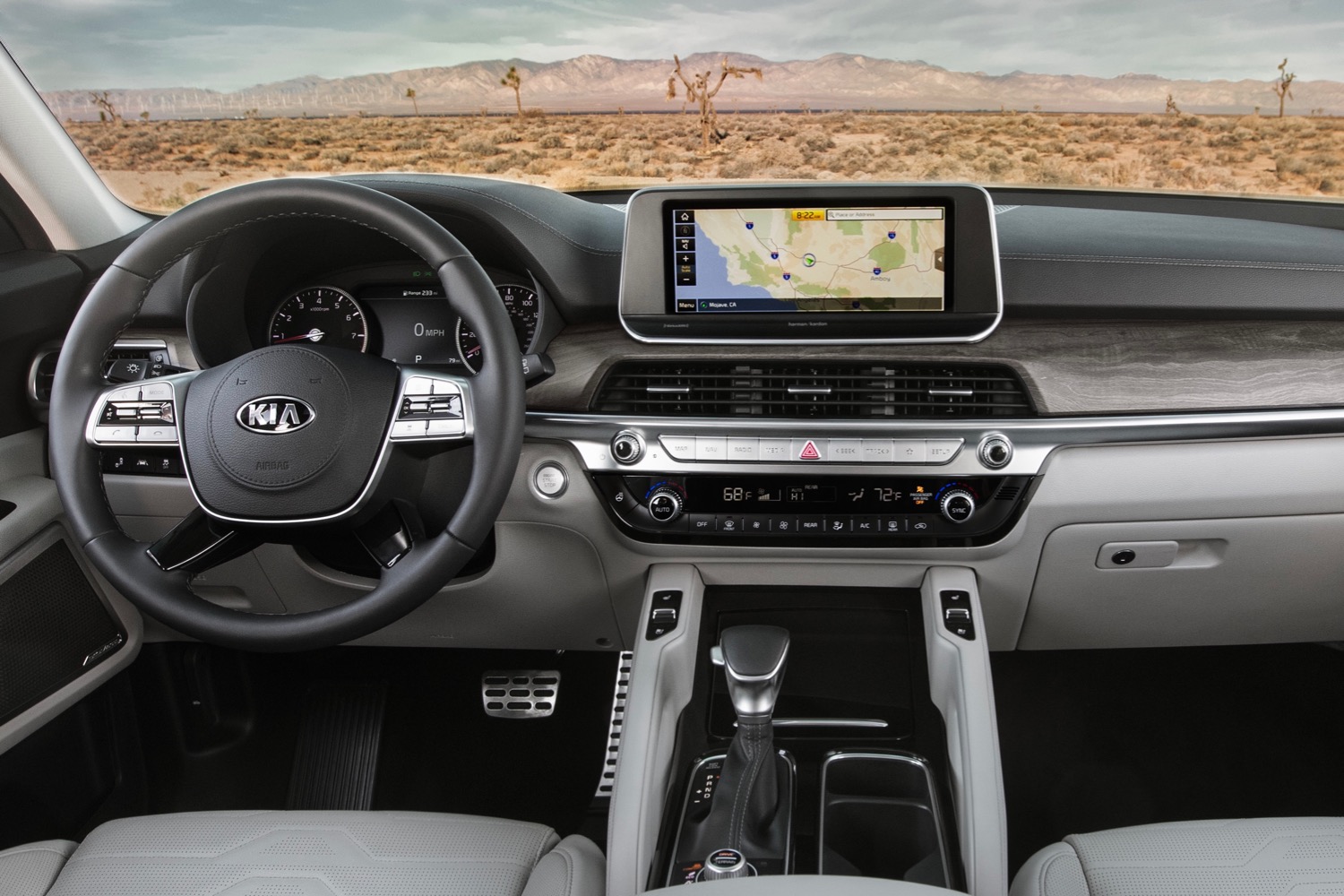
A big touchscreen is not simply “more screen.” It is a reconfiguration of space. Imagine stepping into a room where the lighting is optimized; suddenly everything feels sharper, more legible. Similarly, a wide infotainment display reshapes the cabin’s visual hierarchy. The driver’s attention no longer hops between scattered indicators. Instead, it rests in a single, calming plane.
Large touchscreens also broaden the interface surface area. With more real estate, menus can breathe. Icons look less cramped, text becomes more readable, and maps open with fewer gestures. This matters because touch UI is fundamentally about friction: the less you fight the interface, the more the interface becomes a partner.
In crossovers—vehicles designed to be multipurpose—this partner effect is amplified. Families want simplicity. Commuters want quick access. Road-trippers want guidance that doesn’t feel like a chore. A wide, responsive screen can unify those expectations, like a conductor keeping a whole ensemble in sync.
Ultra-Wide Displays: The Cinematic Infotainment Trend
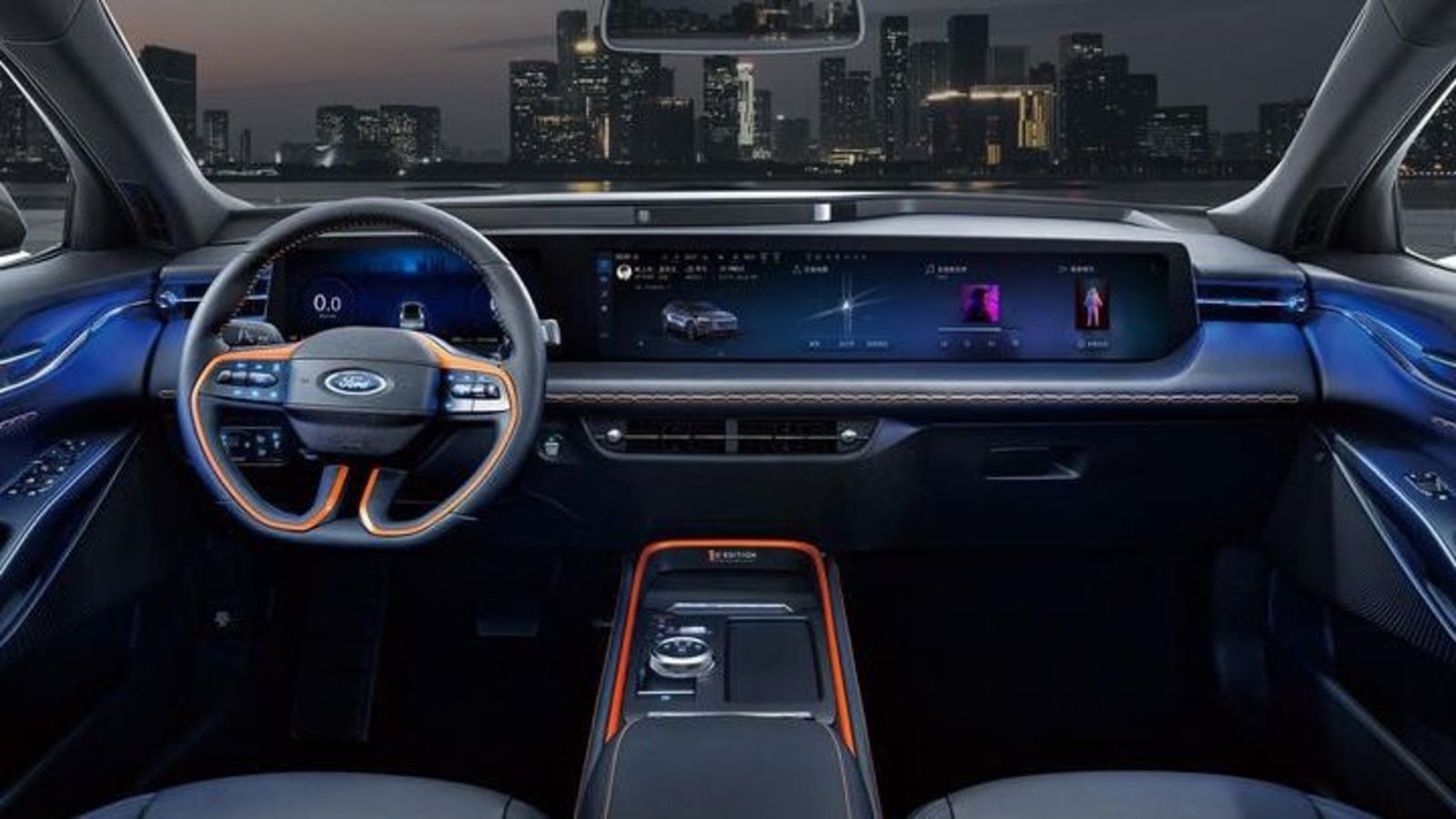
Some crossovers have moved beyond typical “tablet on the dash” designs. Ultra-wide infotainment screens curve the cabin narrative, spanning the driver’s line of sight in a way that resembles a panorama—an automotive cinema screen without the popcorn.
The intrigue begins with layout. An ultra-wide system can present navigation and media side-by-side, reducing the constant switching that frustrates even patient drivers. While one section offers turn-by-turn directions, another showcases playlists, podcasts, or phone projection. The interface feels like a dashboard map: not a single page, but a living spread.
Ultra-wide displays also invite customization. Widgets can be arranged like bookmarks: favorite radio presets, charging status for electrified models, climate controls that feel instantly reachable, and vehicle health summaries that help drivers plan confidently. The best systems make customization meaningful—less “look at what I can do,” more “here’s what you need right now.”
There’s a metaphor here that drivers tend to feel before they articulate it: a large screen turns the cabin into a cockpit of clarity. Not just visually, but psychologically. Decisions become easier because information arrives in one glance.
Touch Responsiveness: Where “Big” Must Become “Brilliant”
Large screens are only as impressive as their responsiveness. A sluggish infotainment system can turn even the most beautiful display into a daily annoyance. The distinction is subtle but crucial: the screen should respond with immediacy, maintaining the flow between intention and action.
High-quality touchscreens typically excel in three areas. First, gesture accuracy—the interface should recognize intended taps and swipes without misfires. Second, transition speed—the system should open apps instantly, not after a theatrical pause. Third, visual feedback—buttons and icons should confirm your input, creating a reassuring cause-and-effect loop.
When responsiveness is excellent, the UI becomes an extension of instinct. Short sentences appear in crisp command prompts. Longer journeys don’t feel cluttered by waiting. Instead, the driver remains in control—like a storyteller who never loses the thread.
User Experience Design: Maps, Menus, and the Art of Being Obvious
Large touchscreens create an opportunity for thoughtful information architecture. The best crossover infotainment systems treat UX like design craftsmanship—hierarchy, spacing, and typography are tuned for real-world use.
Consider maps. Good navigation isn’t just about showing the road; it’s about reducing cognitive load. Turn-by-turn prompts should be clear, visually distinct, and paired with predictable behavior—so the driver trusts what the screen communicates. Meanwhile, media controls should be accessible without hunting through layers of submenus.
Equally important is climate control and vehicle settings. Climate menus often become the battleground of practicality. The ideal system makes temperature adjustments immediate and intuitive, using direct controls or well-placed quick toggles. Instead of burying comfort in a labyrinth, the UI should present it like a dashboard instrument—always available, never surprising.
In the most compelling designs, the touchscreen doesn’t demand attention; it lends it. The result is a cabin where focus stays forward and the interface behaves like a confident co-pilot.
Integration with Smartphones and Apps: The Screen as a Bridge
A large display shines when it becomes a bridge between the vehicle and daily life. Phone integration—whether through wireless projection or built-in connectivity—should feel seamless. The best systems map familiar app experiences onto a driver-friendly interface.
Music and podcasts should load quickly. Contacts and messaging should be easy to access without unnecessary steps. Route planning should feel consistent between the phone and the car.
Here, the unique appeal is almost emotional. Drivers don’t want a gadget; they want continuity. A touchscreen that mirrors daily habits can make long drives feel less disconnected, as if the car is quietly adapting to your routine rather than forcing you to adapt to it.
Comfort and Customization: Making the Screen Feel Personal
Infotainment isn’t only entertainment. In crossovers, it’s also comfort management. Large touchscreens allow deeper customization, such as personalized profiles for drivers, adjustable widgets for different moods, and quick access to frequently used functions.
Some systems can remember preferences with a near-telepathic instinct—seat and climate settings paired with preferred media, so the cabin becomes an extension of identity. A larger screen makes this personalization more visible. Profiles can be represented through accessible icons and clear summaries, letting drivers dial in their preferences without wading through dense settings pages.
Customization works best when it stays tasteful. When everything is adjustable, nothing feels special. The best infotainment designs find the sweet spot: they provide enough variety to feel personalized, while keeping the interface calm and consistent.
Safety Considerations: How Great Screens Respect the Road
Technology must not become a distraction. Large touchscreens increase potential for interaction, so the best implementations include safety-centered design choices. Voice control should be reliable. Controls should be logically grouped, and critical features should be accessible with minimal steps.
Many excellent systems also use context-aware behavior—reducing unnecessary prompts or simplifying interactions while driving. The touchscreen’s clarity becomes a safety feature: fewer ambiguous icons, better contrast, and immediate feedback that helps drivers make decisions quickly.
When the UI respects driving focus, the large screen becomes less of a magnet for attention and more of a steady guide—like a lighthouse that communicates direction without demanding constant staring.
What to Look For When Choosing a Crossover with Large Infotainment
If a wide touchscreen is the headline, the supporting cast matters just as much. Prioritize systems that offer fast boot times, fluid animations, and dependable navigation. Look for clear typography and a layout that doesn’t require a manual to interpret. Check the responsiveness of touch controls, particularly for common tasks like changing media, adjusting climate, and switching between navigation and audio.
Also evaluate how the screen integrates into the daily routine. Does it offer quick access to your favorites? Can the interface be customized without clutter? Does smartphone integration feel stable, with minimal lag or disconnects?
Finally, consider the “whole cabin” experience. A large screen is only one part of the impression. The placement relative to the driver’s sightline, the brightness under sunlight, and the responsiveness while wearing gloves or in varied temperatures all influence whether the touchscreen truly enhances the drive.
The Unique Appeal: Touchscreens as Confidence Engines
The most impressive crossover infotainment doesn’t merely entertain. It reduces uncertainty. It makes the car feel more controllable, more understandable, more aligned with the driver’s intent. A wide display can serve as a confidence engine—turning unfamiliar routes into known paths, transforming scattered information into a coherent map of the moment.
There’s also a subtle psychological effect. When the UI is clear and responsive, the cabin feels composed. The drive becomes smoother, not just mechanically, but mentally. Short interactions feel rewarding; longer trips feel less demanding.
In the end, large touchscreens in crossovers aren’t just about size. They’re about readability, speed, and the sense that the vehicle is listening. Like a well-designed instrument panel in a high-end cockpit, the best systems treat information as something elegant—something that belongs to the journey.
Conclusion: A Wider Screen, a Wider Experience
Crossovers with the best infotainment and large touchscreens offer a rare blend of practicality and spectacle. They transform the dashboard into a communicative space where navigation is confident, media is immediate, and vehicle settings are approachable. The unique appeal lies in how the technology feels—less like a distraction, more like guidance.
Choose a crossover where the touchscreen isn’t merely impressive on day one, but satisfying every day after—where the interface responds like a reliable companion and the display turns the cabin into a calm, luminous command center. In that best-case scenario, the drive doesn’t just move you forward. It invites you to feel informed, in control, and pleasantly engaged from the first touch.