Imagine sliding into a compact car and—before the coffee even cools—you’re already navigating playlists, contacts, and maps with the confidence of a seasoned road navigator. Sounds delightful, right? Now here’s the playful catch: what happens when your favorite features are trapped behind a small, laggy screen, or when the interface feels like it was designed for someone else’s thumbs? That’s the quiet challenge many drivers run into—because in the world of compact cars, “infotainment” isn’t just a gadget. It’s the cockpit’s social hub, the dashboard’s command center, and sometimes the difference between a smooth drive and an irritating detour.
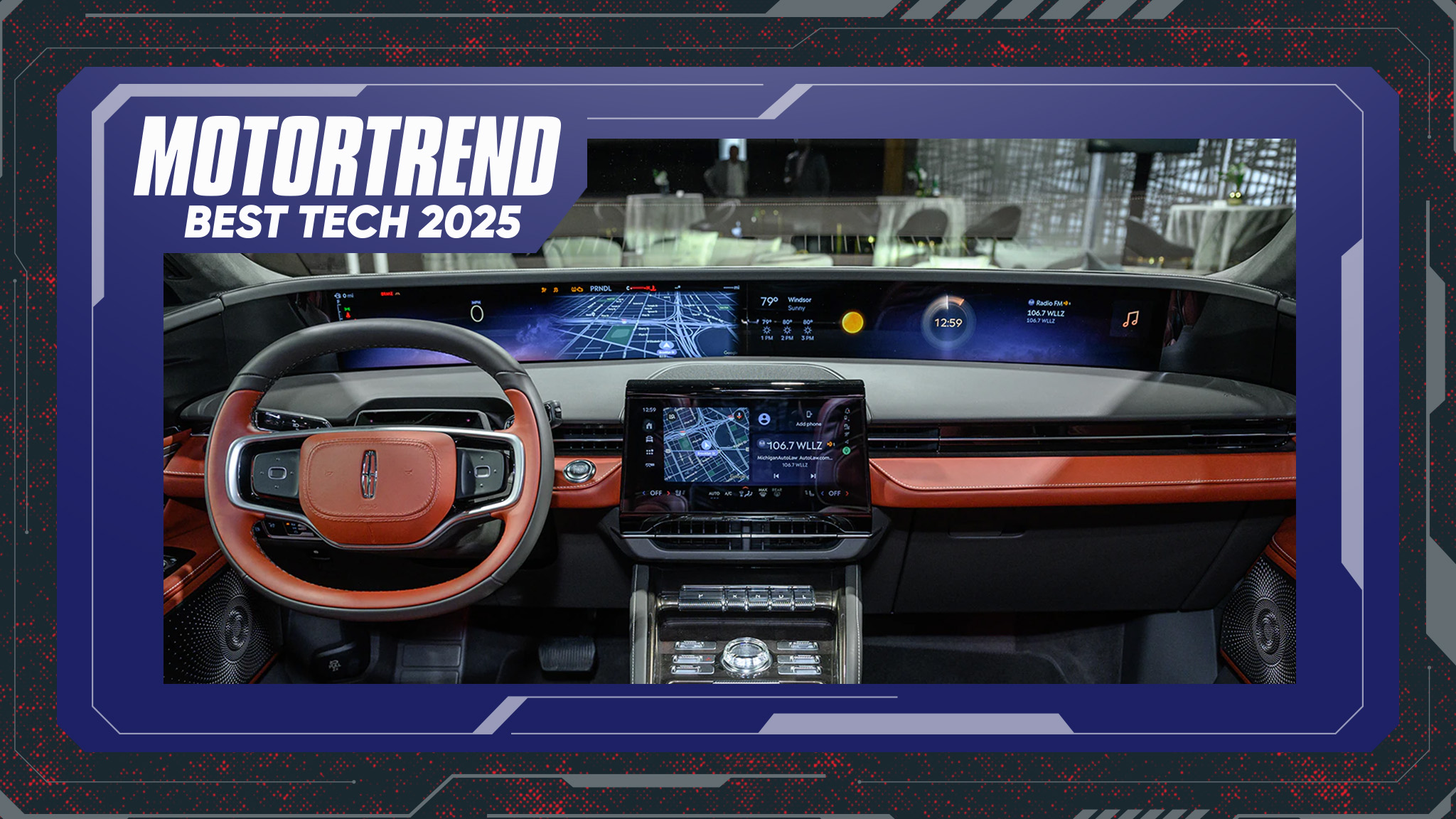
So let’s talk about compact cars that deliver best-in-class infotainment with large screens. Not just larger-than-average displays, but screens that make the experience feel responsive, legible, and creatively immersive—like your car is paying attention to you. The question becomes: can a compact car truly host a big-screen attitude without compromising usability?
Why large infotainment screens matter in compact cars
A large display in a compact vehicle does more than look impressive. It reduces cognitive friction. When navigation, media controls, and driver settings are visible at a glance, you spend less time hunting for icons and more time enjoying the drive. Short and simple actions—like switching audio sources, zooming the map, or selecting a phone call—become faster, more natural.
There’s also the ergonomics of perception. In bright sunlight, a smaller screen can become a high-contrast puzzle. In evening drives, a small interface can feel cramped and overly dense. Larger screens, when paired with good brightness and contrast, tend to feel less like a compromise and more like an invitation to interact.
Still, size alone doesn’t guarantee serenity. The real test is how the screen behaves: touch latency, visual clarity, and the logic of the menus. A big panel can be spectacular—or it can be a glossy distraction. That’s why the “best” infotainment isn’t merely about dimensions. It’s about the entire interaction ecosystem.

Touch responsiveness and the feel of “instant” control
Here’s where the playful challenge tightens: can you change what you want without feeling like you’re waiting for the car to catch up? A large screen that lags turns simple tasks into small trials. Media switching should be nearly instantaneous. Map rerouting should feel like a confident suggestion, not a delayed notification.
In a compact car, the driver is often balancing traffic, parking maneuvers, and shifting attention between mirrors and road signs. A responsive interface acts like a co-pilot. It reduces the emotional temperature of the drive—especially during commute hours when patience is already wearing thin.
Look for systems that use smooth animations, quick screen transitions, and intuitive home screens. The best setups often resemble modern smartphone logic: a layout that makes sense even when you glance only briefly.
Screen clarity: brightness, typography, and map readability
Large displays are only truly useful if they can be read easily across conditions. Daytime glare is a classic adversary. Night driving introduces its own drama—tiny fonts and harsh contrast can create an uncomfortable viewing experience.
The most satisfying infotainment screens offer crisp typography and well-designed iconography. Maps should be legible without requiring intense focus. Turn-by-turn directions should be communicated clearly, with contrast that remains stable even when the road curves and lighting changes.
If you frequently drive in mixed lighting—say, city shadows followed by open highways—clarity becomes non-negotiable. A premium-feeling interface isn’t just “big.” It’s also tactfully designed for real-world vision.
Smartphone integration: the “it just works” factor
In everyday life, your phone is often the real command center. So the question is: does the car become a friendly extension of your phone, or a separate universe you have to learn again?
Compact cars with large infotainment screens tend to shine when they deliver seamless smartphone integration—whether through wireless connectivity or quick, reliable pairing. The best systems minimize steps. Launching navigation, streaming music, and answering calls should feel effortless, not ceremonial.
Pay attention to the handoff behavior too. When audio transitions from navigation prompts to music, it should sound smooth and timely. If the system interrupts incorrectly or delays prompts, even a large screen can feel like an overconfident but unreliable narrator.
Media, audio tuning, and the cinematic temptation
A big screen invites big usage. Suddenly you want to browse playlists, manage podcasts, and customize equalizer presets. That can be fun—until the interface makes it tedious.
The strongest infotainment experiences provide easy access to frequent actions: volume, track navigation, source selection, and quick favorites. A well-organized media layout turns the screen into a dashboard theater control panel. Audio quality matters as well; a high-resolution interface paired with mediocre sound is like beautiful packaging with dull candy inside.
For drivers who share the car, multi-user profiles or straightforward settings can reduce friction. Nobody likes arguing with menus in the back of a parking lot.
Navigation experience: not just maps, but decisions
Navigation is where large screens earn their keep. A wide display can show multiple routes, clearer traffic visuals, and better guidance during turns. But the real advantage comes from decision-making—rerouting that feels accurate, route suggestions that make sense, and updates that aren’t painfully delayed.
Some drivers plan routes before leaving. Others rely on live guidance. Either way, the infotainment system should keep information flowing without overwhelming the screen. Effective navigation uses hierarchy: the important bits first, the details second, and the rest only when you ask.
If the interface turns every trip into a cluttered infographic, it becomes a distraction. If it offers clean, confident guidance, it feels calming—even during hectic commutes.

Design and usability: large screen doesn’t mean large stress
A compact dashboard has less space to work with. Designers must handle glare zones, button placement, and driver visibility carefully. The best large-screen setups keep critical controls within easy reach. For instance, frequently used climate controls should remain either physical or predictably accessible.
Also consider “thumb territory.” Touch targets should be large enough for quick taps. Menus should be logically grouped. When the system requires too many steps to do something basic, the display becomes theater instead of tool.
There’s a subtle art to modern interiors: the screen should feel like it belongs to the vehicle, not like an aftermarket accessory wearing a showroom smile.
Common challenges owners face with big infotainment screens
Now for the punchline: large screens can introduce their own problems. Overly complex menu structures can make even simple tasks feel like solving a riddle. Some systems become sluggish over time, especially if software updates are infrequent. Others may struggle with connectivity stability, particularly when moving between cell towers.
Another real-world issue is user preference conflict. If the interface offers too many themes or customization options, drivers can waste time tailoring rather than driving. The best systems allow personalization without chaos.
So the “best” approach is to balance ambition with practicality: responsive performance, clear visuals, and a layout that supports human habits.
Choosing the right compact car with a large infotainment screen
When shopping, treat the screen like a habit, not a headline. Test it in conditions that resemble your life. Sit in the driver’s seat and pretend you’re mid-drive: zoom in on navigation, switch sources, open phone contacts, and adjust settings quickly. If you can do it without second-guessing, that’s a good sign.
Ask whether the interface is intuitive on the first try. Evaluate audio controls. Check how quickly it responds after waking. Consider whether the screen’s brightness suits your typical routes.
Finally, remember that compact cars are meant to be agile and easy. The infotainment should amplify that lifestyle—never complicate it.
Conclusion: big-screen infotainment as a comfort upgrade
A large infotainment screen in a compact car can be more than a flashy feature. It can become a comfort upgrade, turning daily commutes into smoother, calmer experiences. The playful challenge—whether the interface truly keeps up with your needs—has an answer when you prioritize responsiveness, clarity, and usability over mere screen size.
When a system feels instantly responsive, maps are readable, and smartphone integration flows without friction, the cockpit becomes a place where you relax. And in a compact car, that kind of confidence is priceless—because the best technology doesn’t just look big. It behaves like it understands you.